Step 1 · PRO
Hosts pick a venue while they enquire
They search your venue list, then book you the way you always take bookings.
See how it worksMade for party entertainers of every kind. Give every host a ready-made digital invite to send to their guests. Replies go to the host, you see the numbers, and your branding is on everything.
Your workflow as an entertainer
Tap any step to jump to the detail.
Step 1 · PRO
They search your venue list, then book you the way you always take bookings.
See how it worksStep 2
Enter the details. The host gets one link to a ready-made digital invite.
See how it worksStep 3
They add a photo, choose a theme and share it. Guests reply from their phone.
See how it worksStep 4
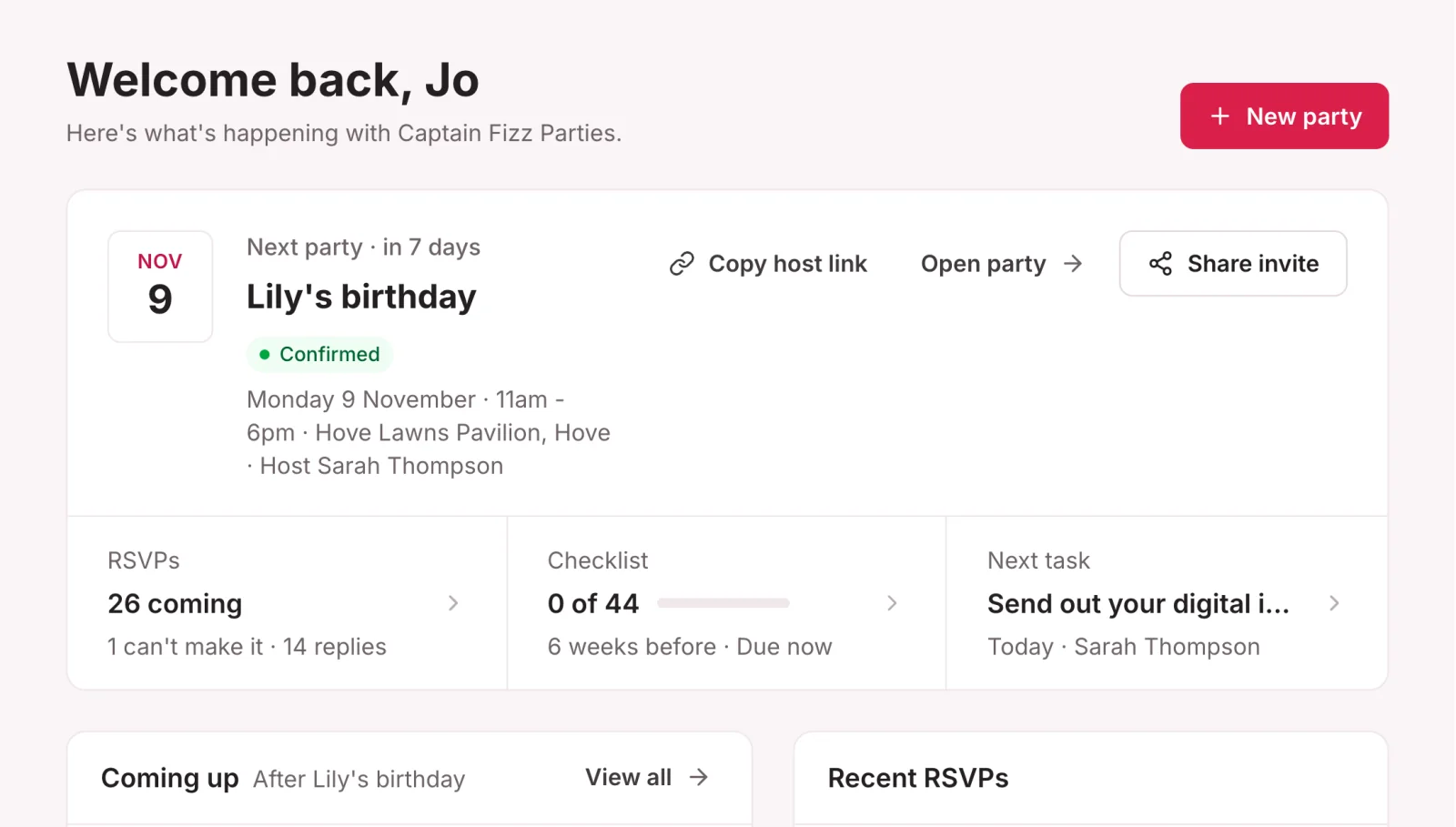
Headcounts land in your dashboard, under your branding. Notes stay with the host.
See how it worksWhy entertainers use it
Organising a party is stressful. You take jobs off their list.
They pick a themed invite, add a photo and share it by link, WhatsApp, SMS or image. Paper-free, with no design skills needed.
Guests reply on the invite and every answer lands in one list for the host, with headcounts and allergy notes.
Hosts search your venue list to find the right place, fast. Filter by parking, kitchen, capacity and access.
Stand out as the professional who thought of everything.
Hosts get a simple, polished process built around their party. It shows you've thought of everything.
Your logo and colours appear on every host and guest page, email, invite sign-off and PDF.
Step 1 · The host finds a venue
Every party starts with a place. While a host is still enquiring, send them a searchable map of 1,300+ venues, so they choose one you already know and trust. Before they've even booked, they can see you know your stuff.
The venue map is part of the Pro plan at £10 a month. It isn't included in Starter.
See all Pro features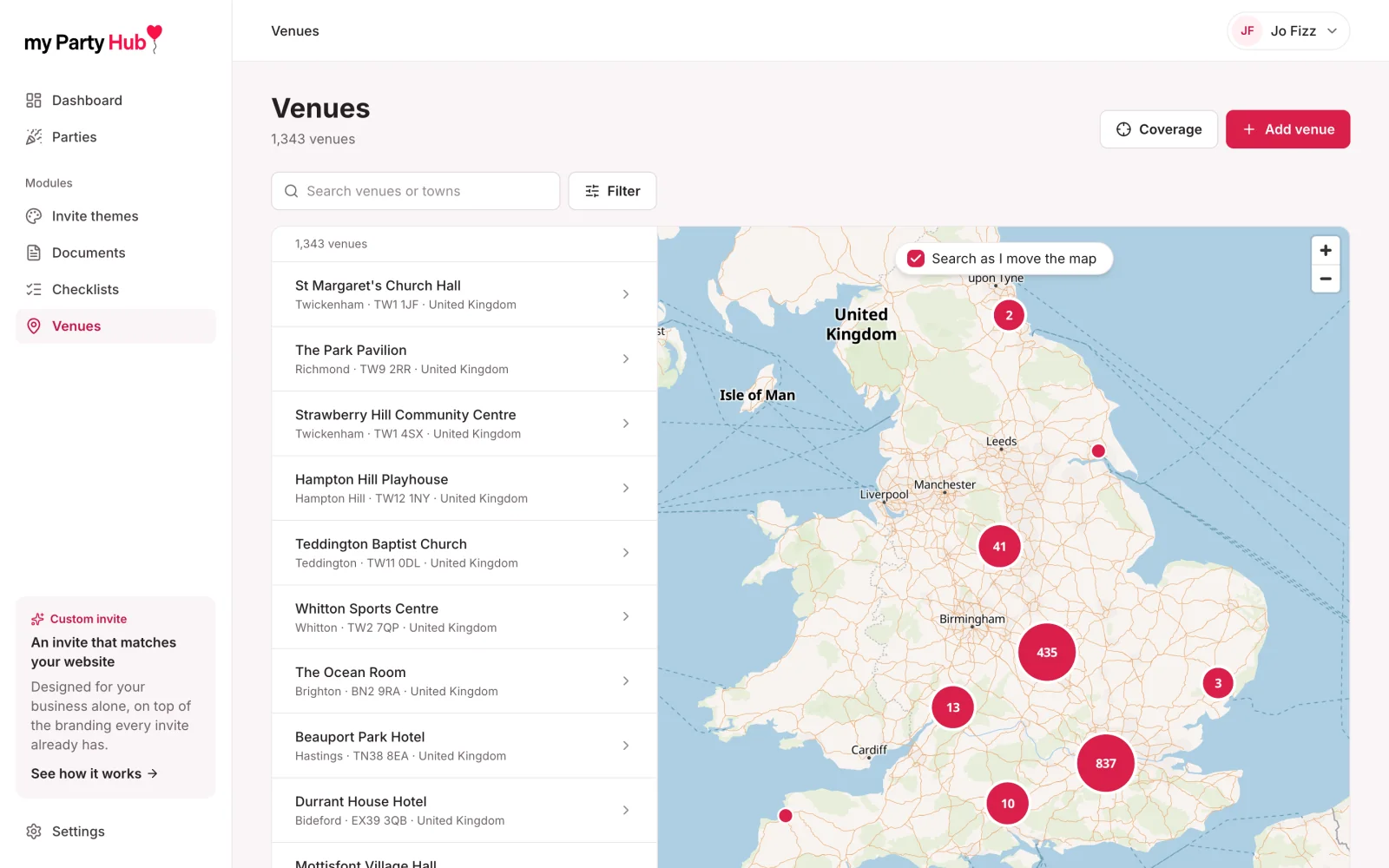
Step 2 · You add the party
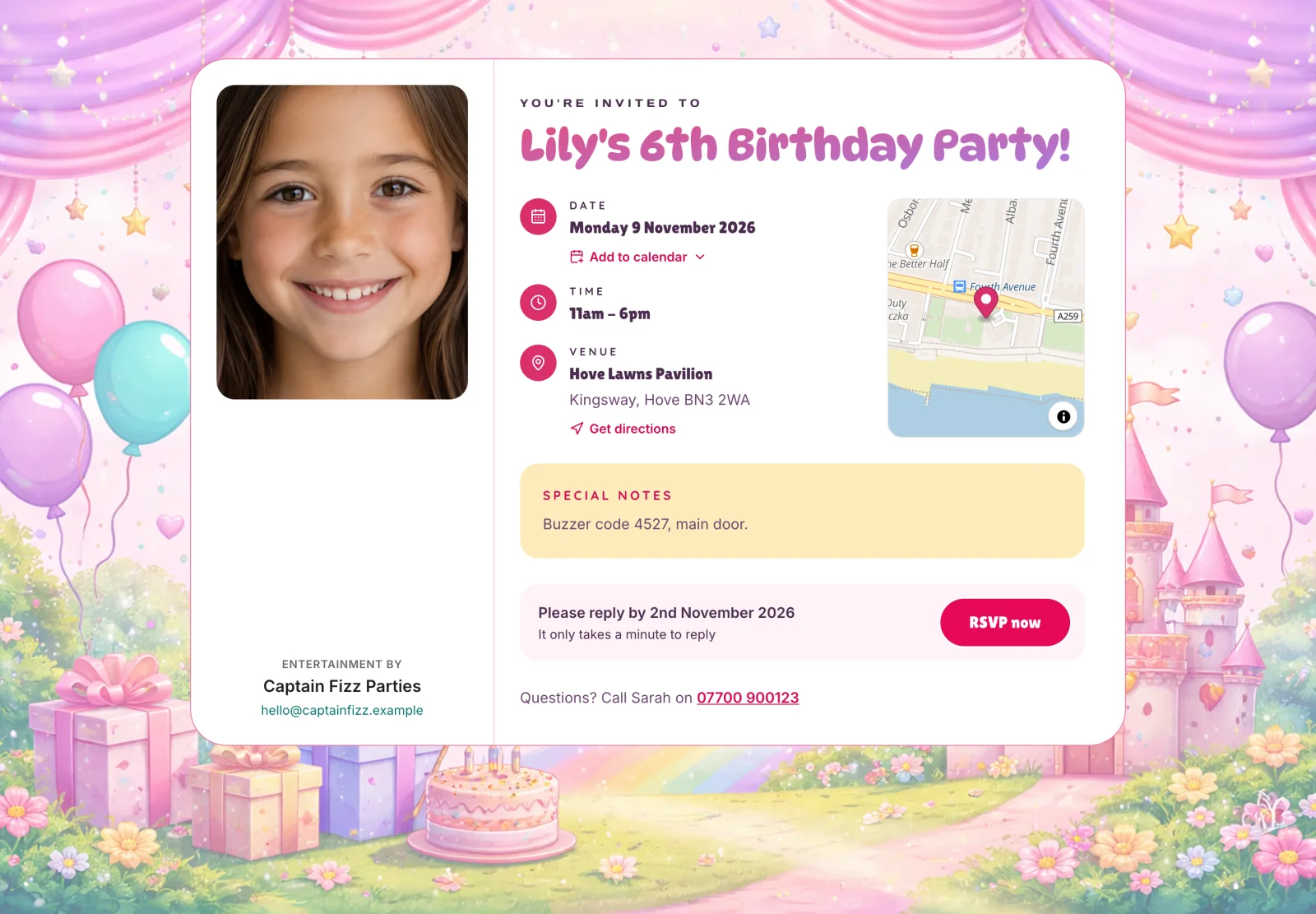
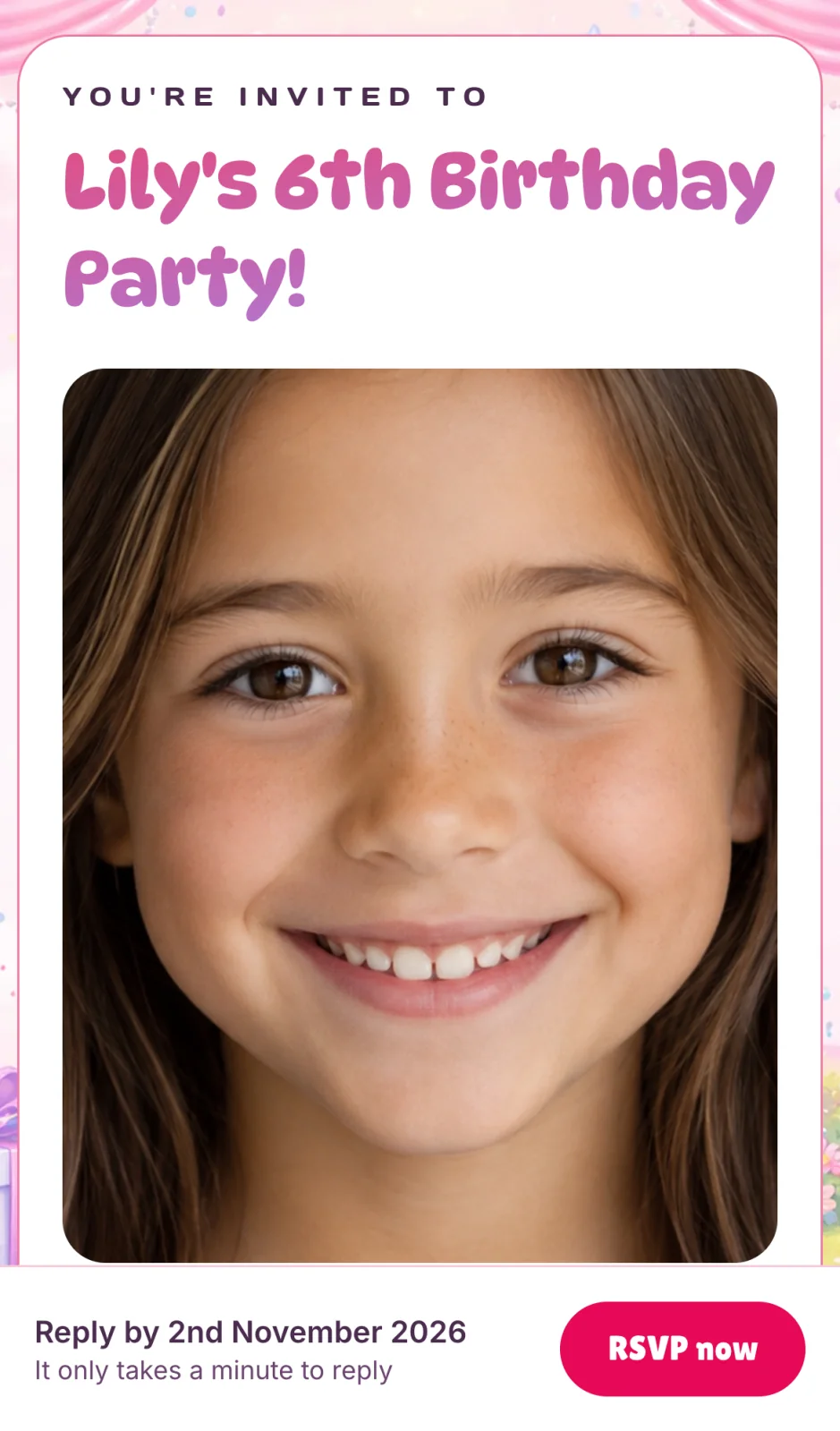
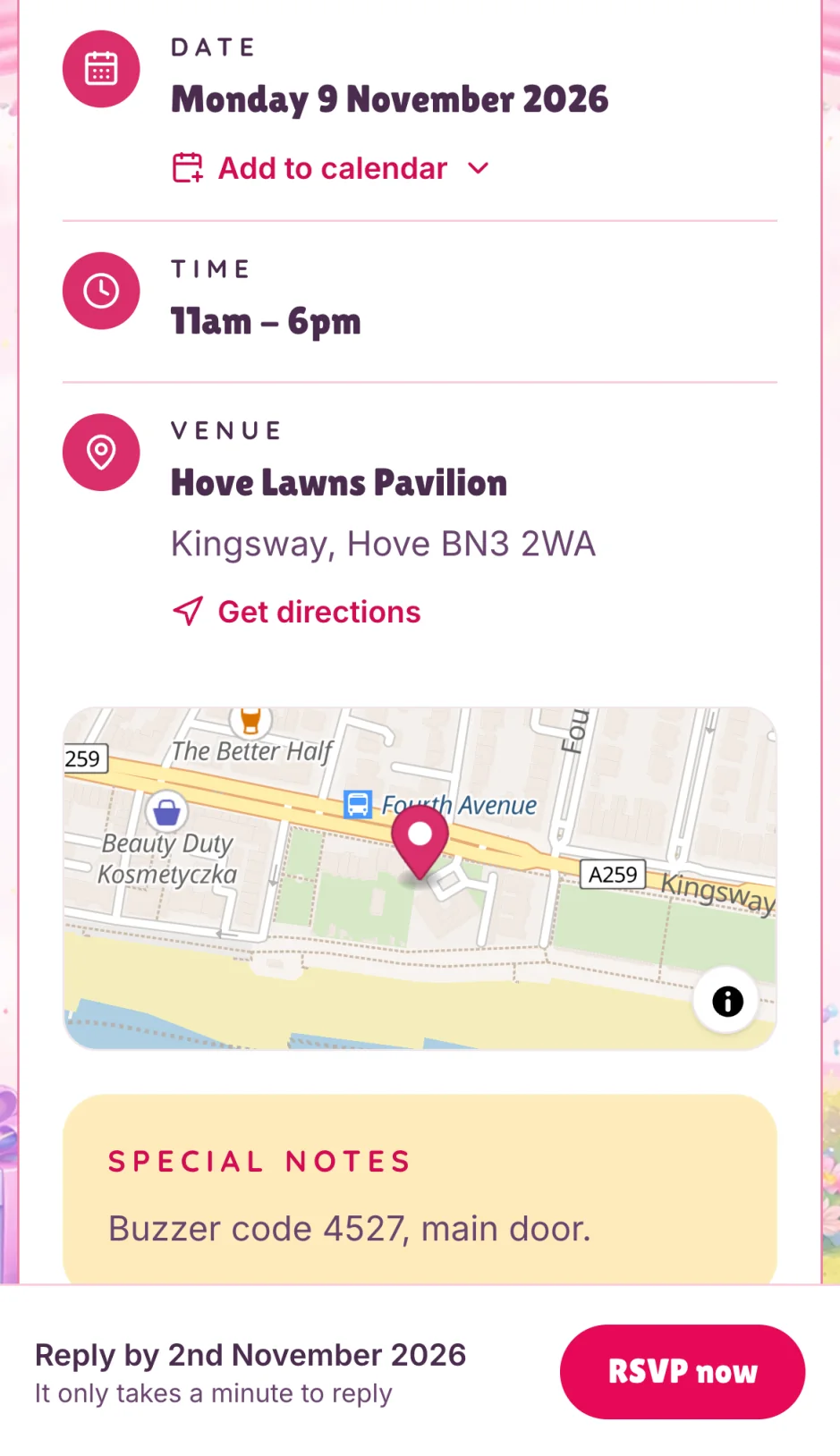
You add the party and the host gets a private link to a ready-made digital invite. Guests find everything they need in one place, so the host isn't fielding messages the night before.
One tap to Google Calendar or Apple/Outlook.
Guests say who's coming, and flag allergies.
See exactly where the venue is. No copying addresses.
One tap opens directions in their maps app.
Why hosts prefer it
Paper-free. No printing, no postage and no waste, so it's kinder to the planet.
No "where is it again?" messages. Everything is on the invite.
Add your first party today. Cancel anytime.
Step 3 · The host picks an invite
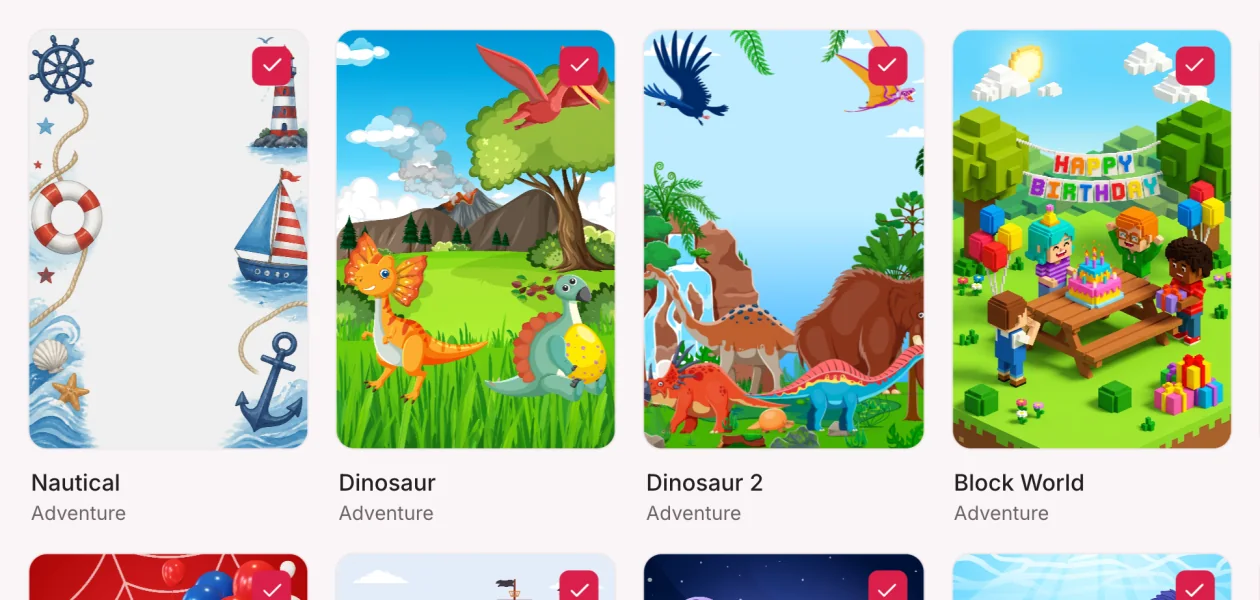
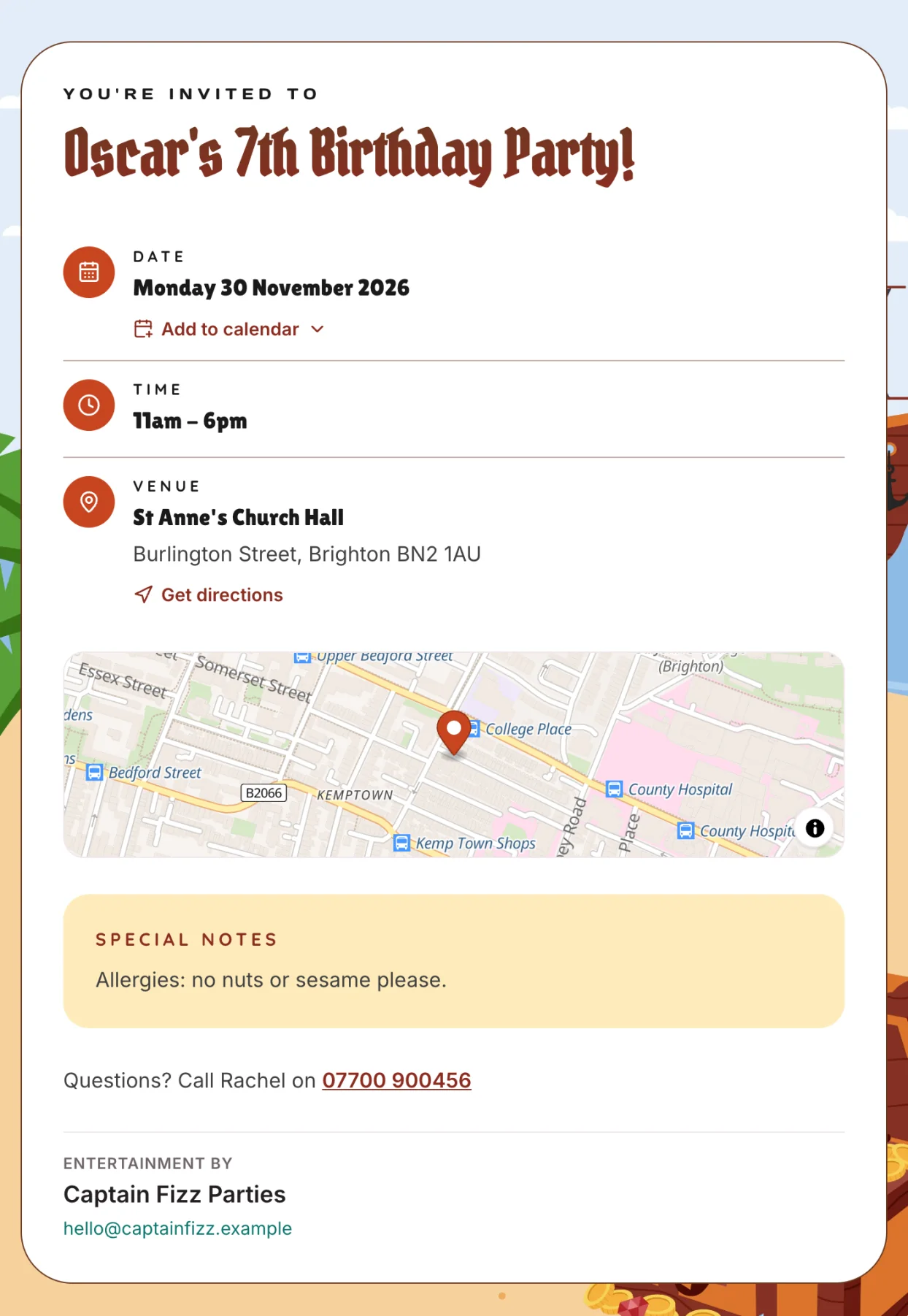
Give every host a ready-made digital invite to send to their guests. Princess, Pirate, Dinosaur, Space, Unicorn, milestone birthdays from 3 to 10, and more. You choose the themes, hosts pick from your shortlist, and every theme is on every plan.
40+ invite themes
PrincessMagical
PirateAdventure
DinosaurAdventure
UnicornMagical
SpaceAdventure
6th Birthday - BlueMilestone
FootballSport
Under the SeaAdventure
FairyMagical
Sweets - PinkParty fun
Web HeroAdventure
Jungle AnimalsAdventure
MagicMagical
Block WorldAdventure
Swipe or scroll to browse 14 of 42 themes
Every theme is on every plan.
Get started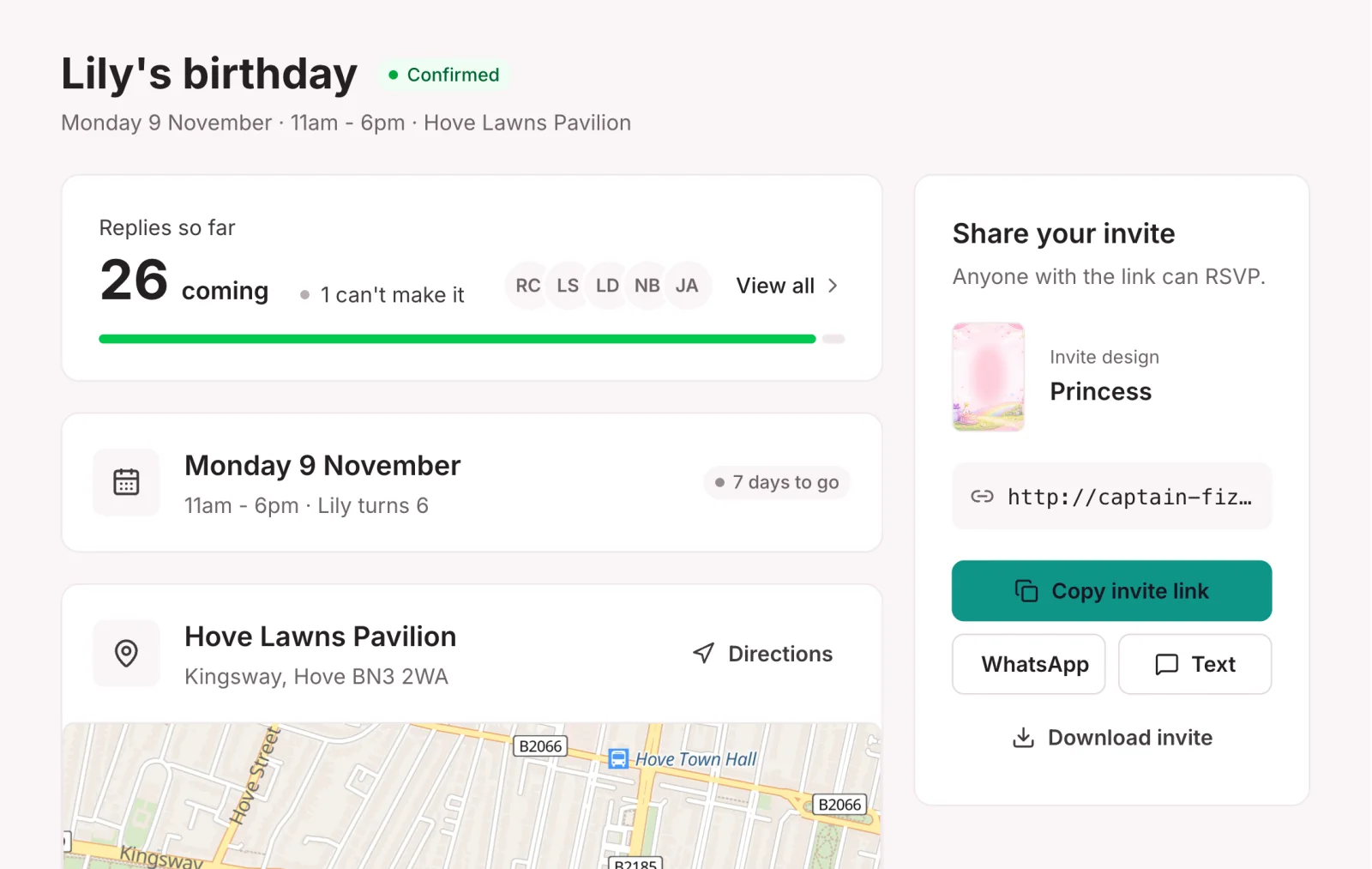
Step 4 · The replies come in
Guests reply on the invite and the host sees every answer, including allergy and dietary notes. You see the numbers in your dashboard so you can plan. Guest details stay private.
Your brand · On every step
Your logo and colours appear on the host page, the invite, the emails and the guest-list PDF. Hosts and guests don't see ours.
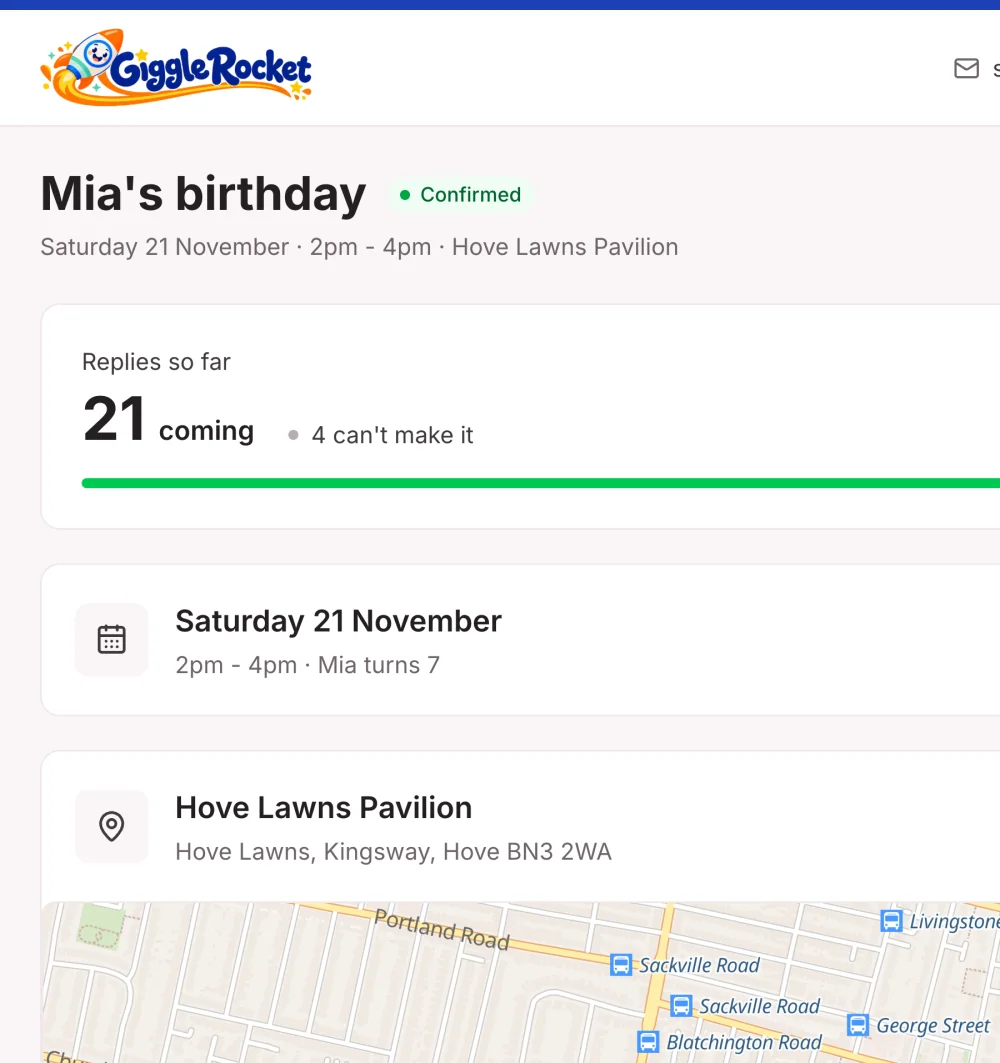
The host's private party page, in your colours.
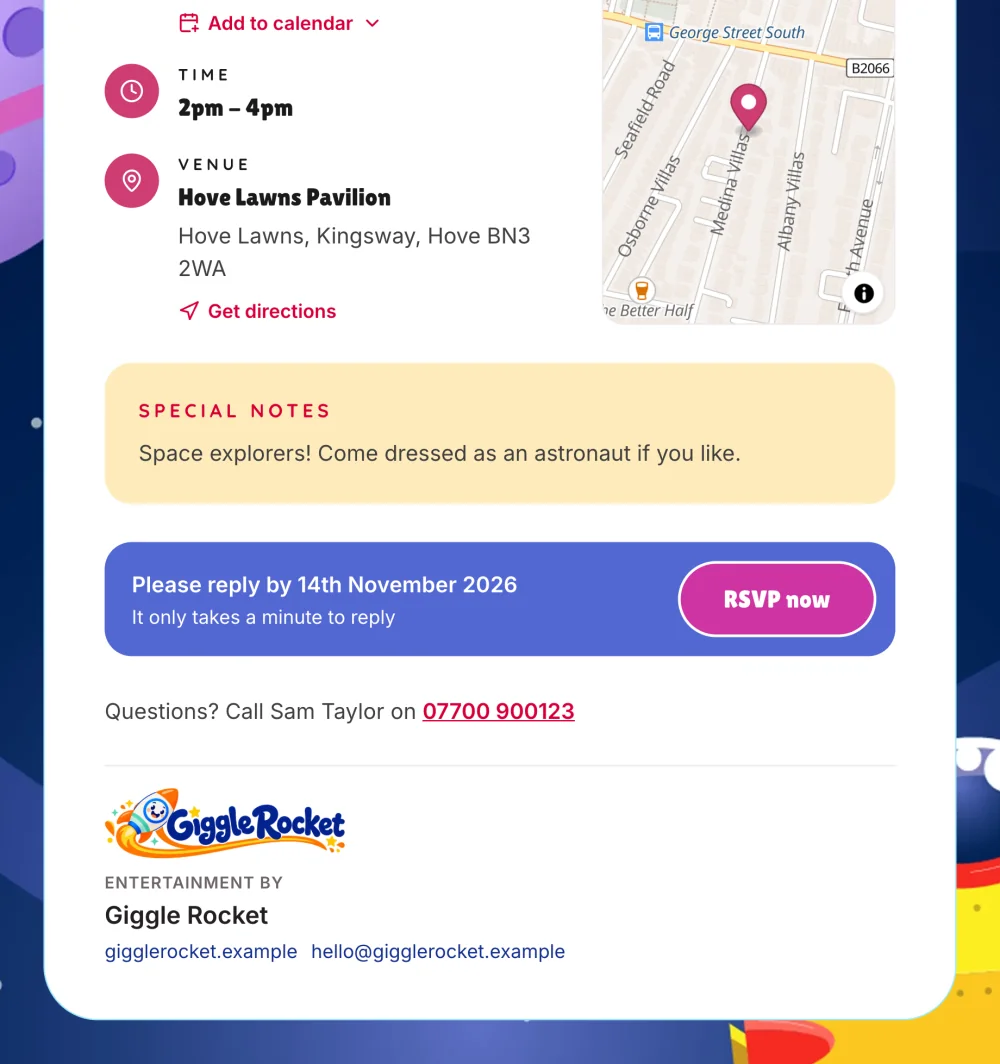
Your sign-off and contact card on every invite.
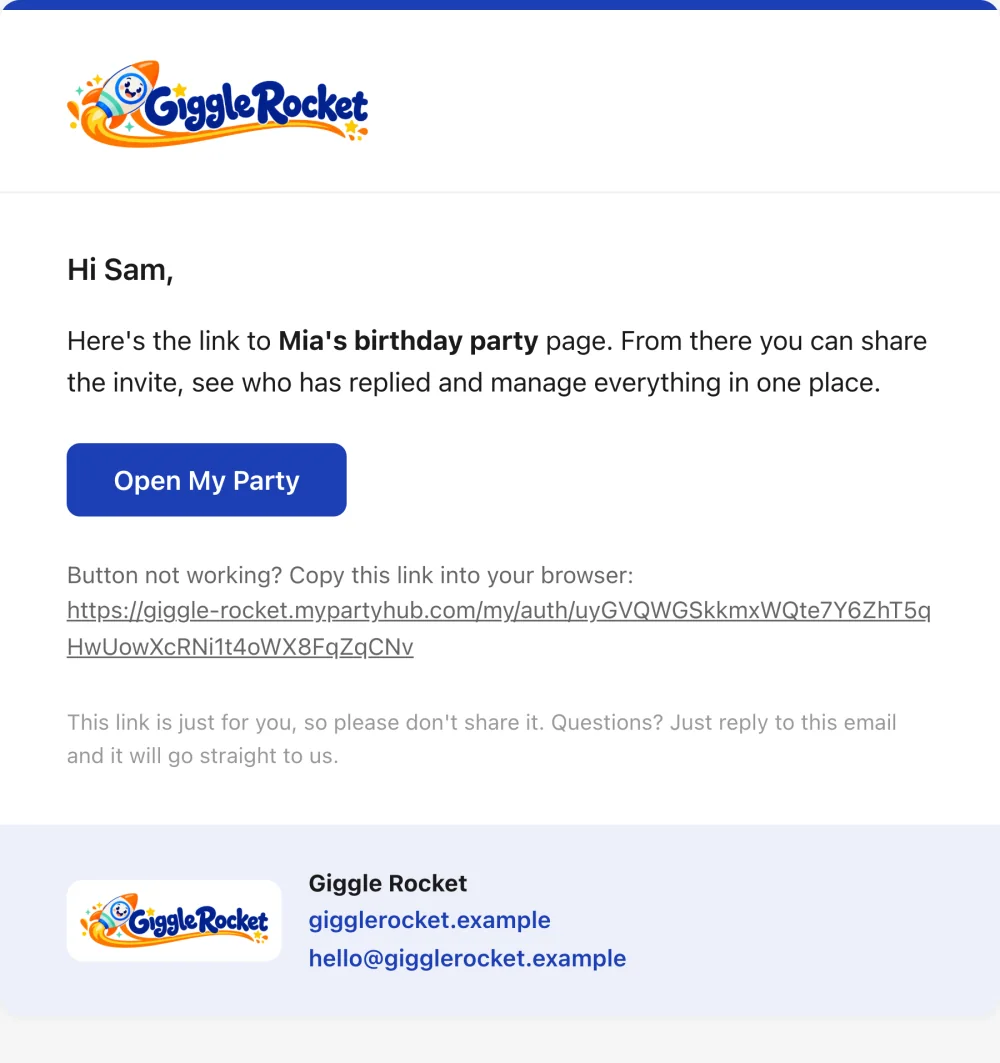
Sent from your business name, to hosts and guests.
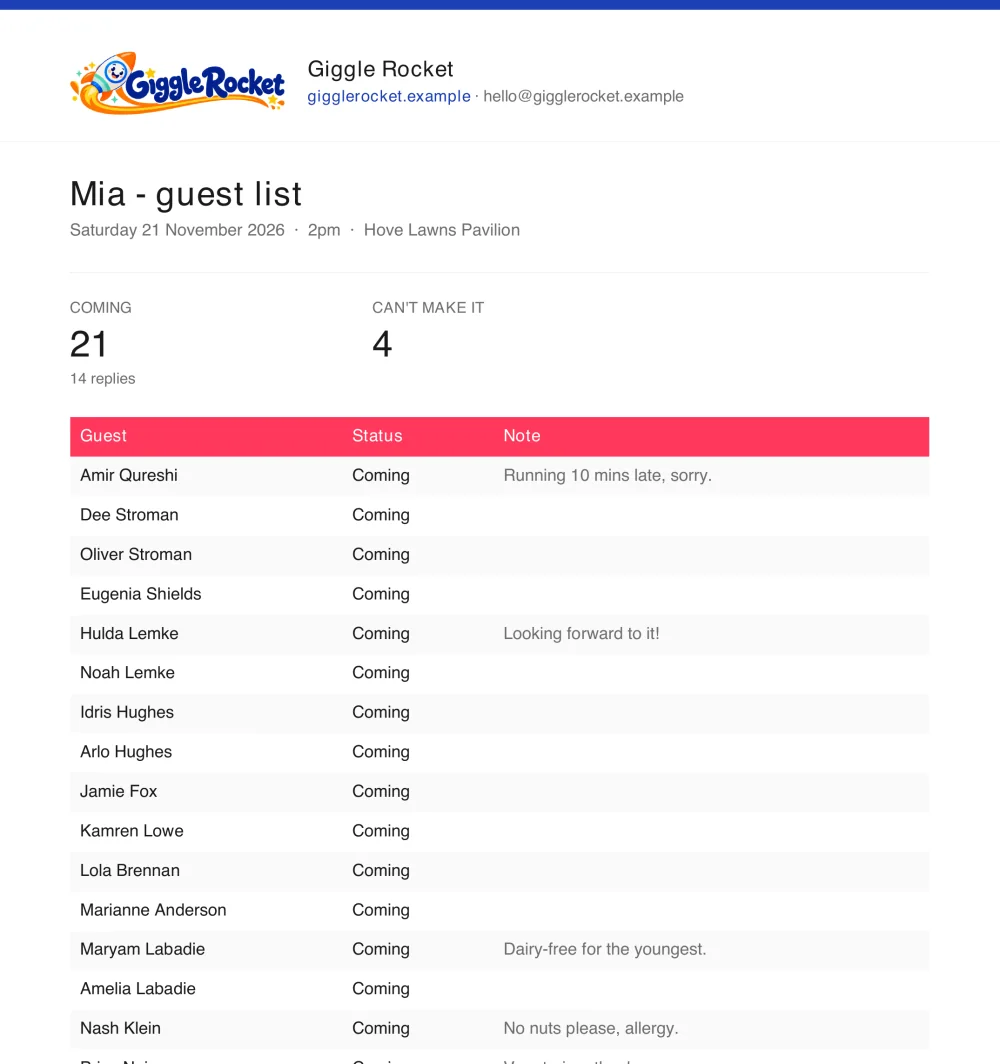
A branded guest list, ready to print or share.
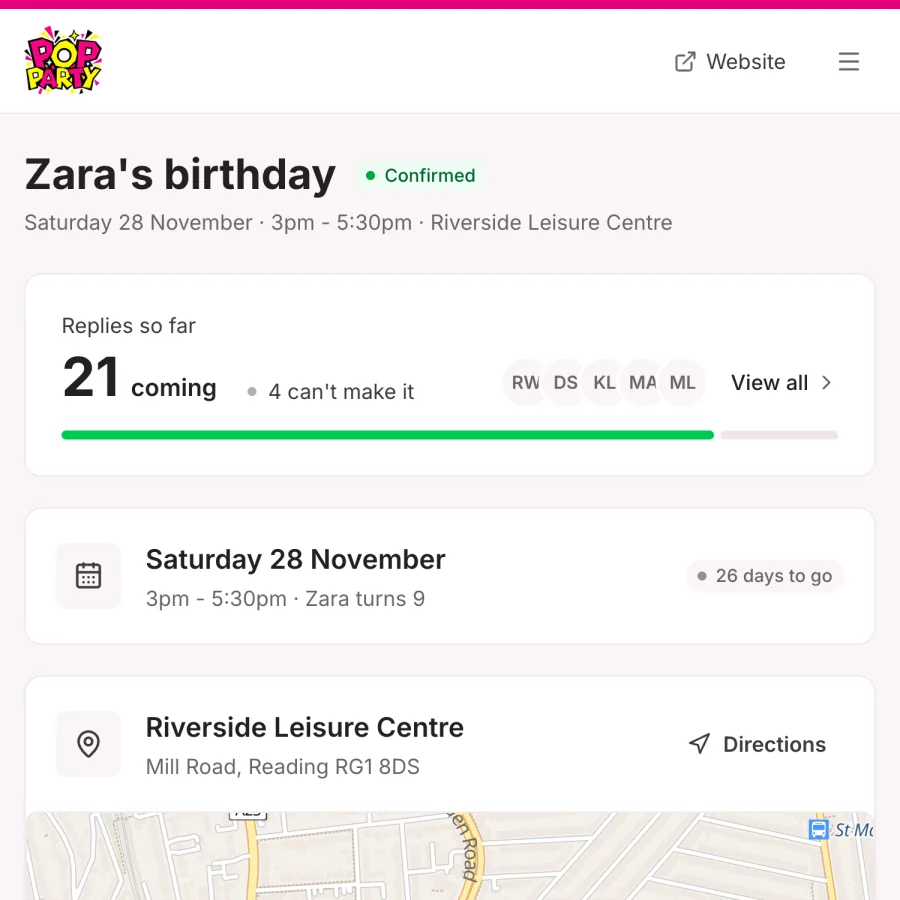
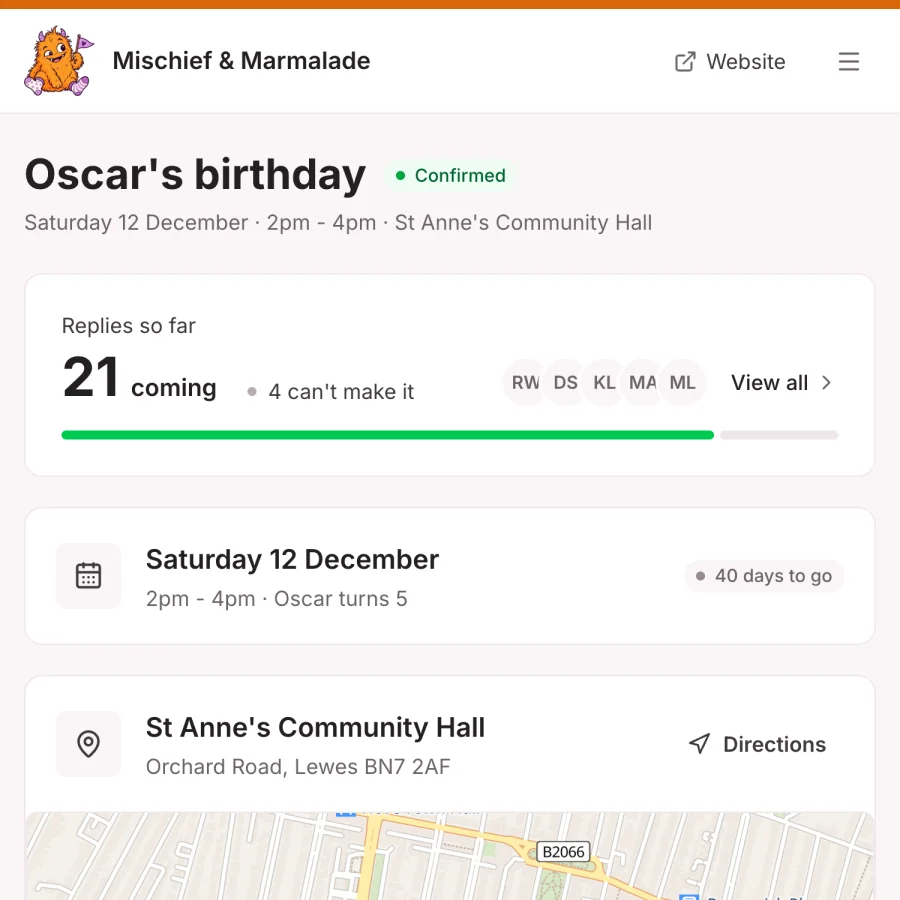
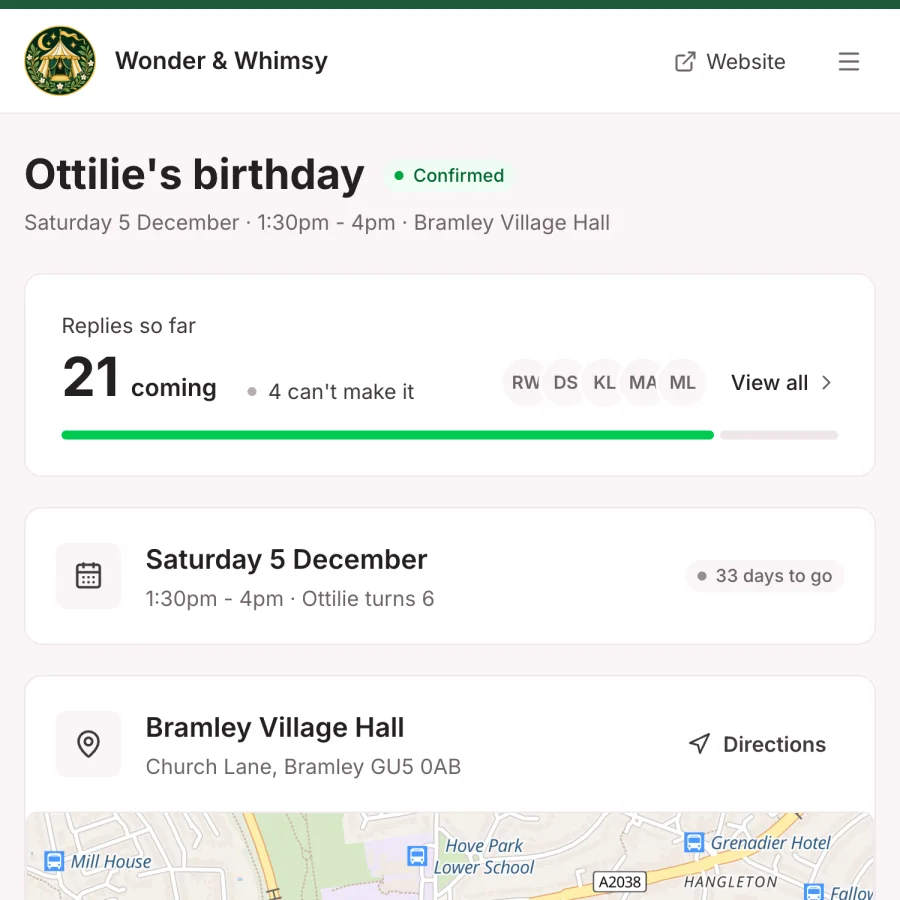
Same page, any business. Swipe to see more.Same page, any business. Here it is for different entertainers.
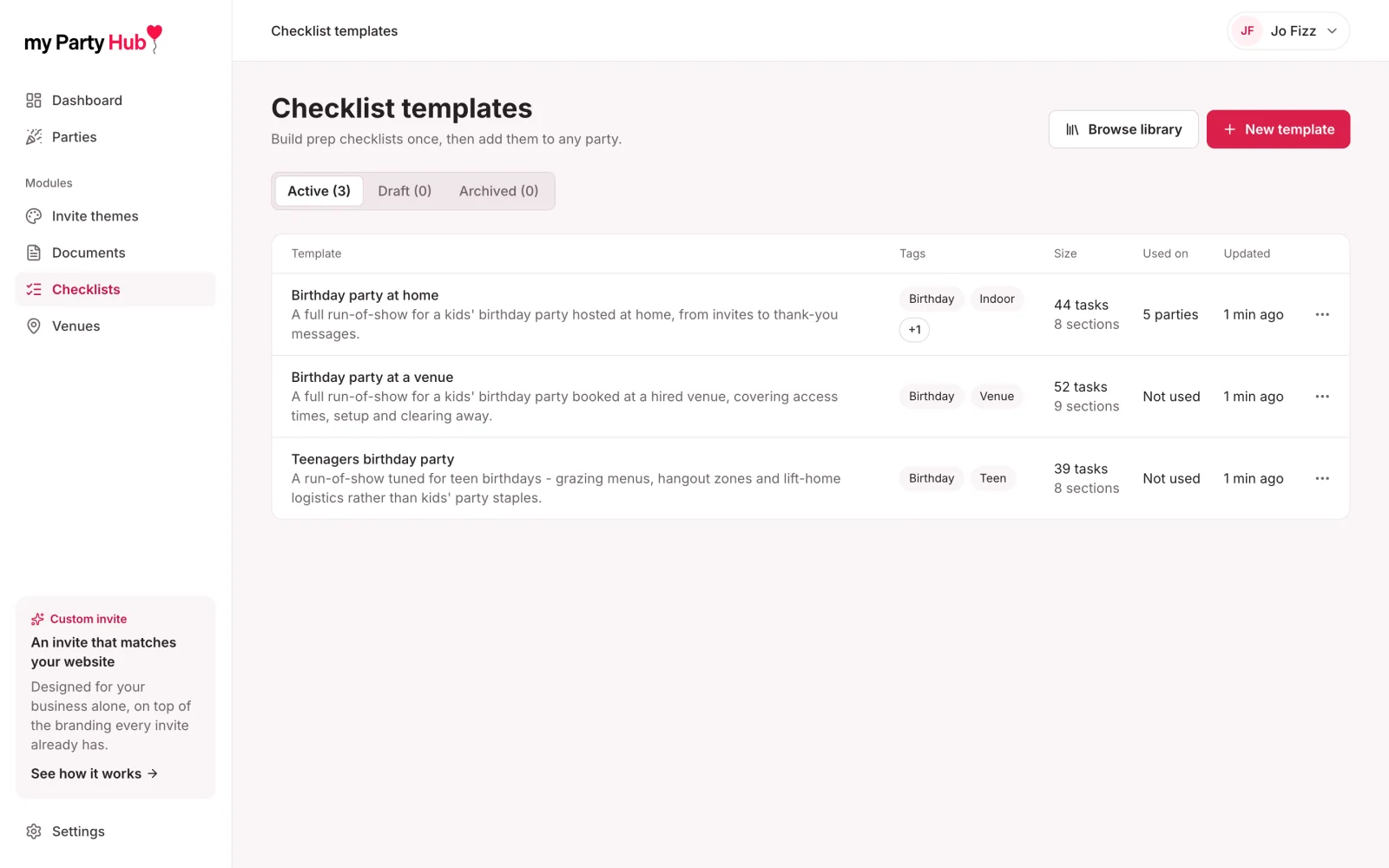
Build a planning list once, then assign it to any party. Due dates move with the party, and hosts tick tasks off.
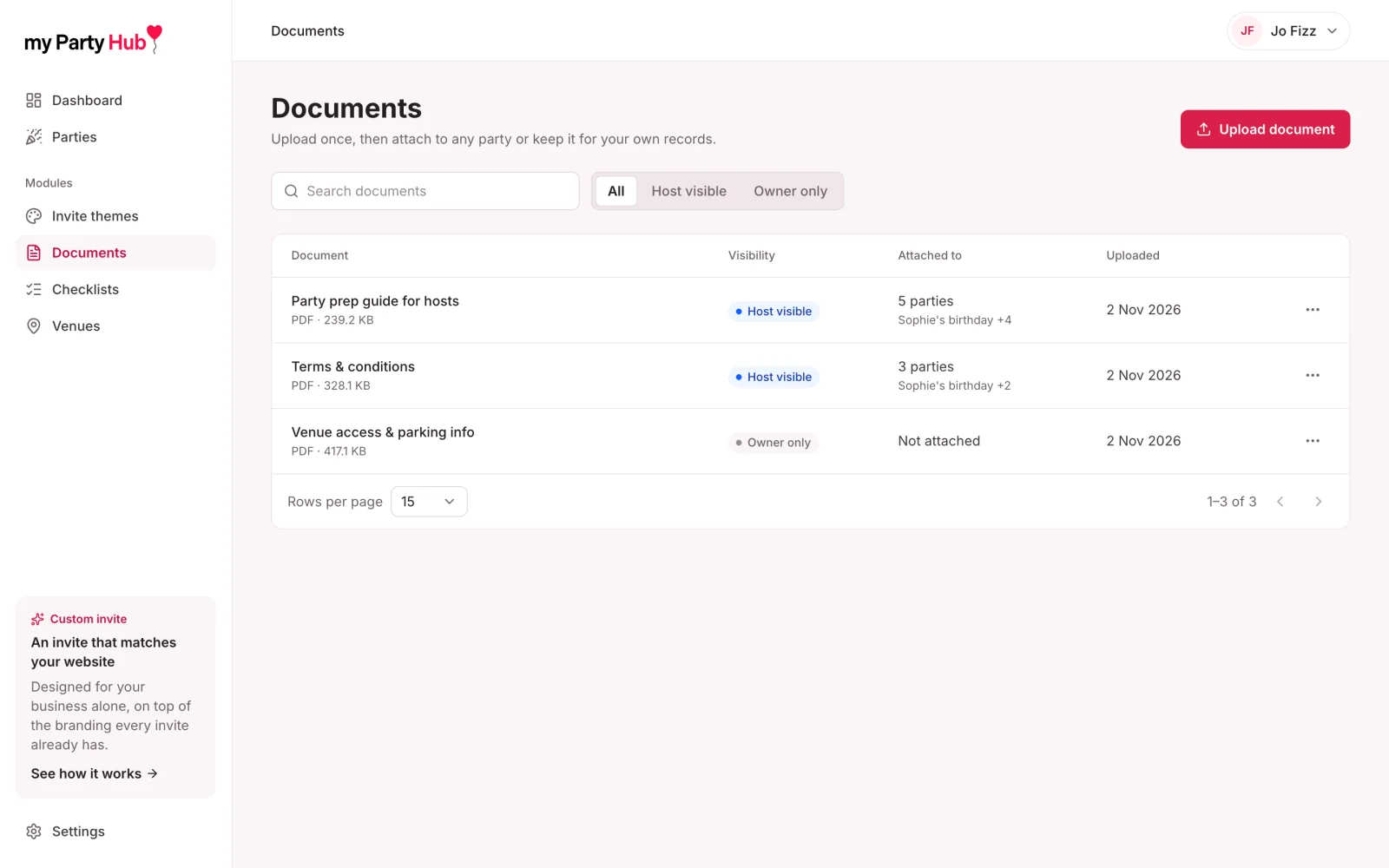
Share your public liability cover, T&Cs and party hints and tips. Hosts download them from their portal.
Run invites on parties.yourbusiness.co.uk, and connect your booking form or CRM through the API.
Plus the venue map, shown in Step 1. See all Pro features
Pricing
Pay monthly, or yearly and get 2 months free.
Solo entertainers getting set up.
Everything you need to get started:
For working pros running parties every weekend.
Everything in Starter, plus:
Prices in GBP. Pay by Stripe. Reinstate in one click if you change your mind.
Compare plans in fullFAQ
Can't see yours? Email [email protected] and we'll reply in plain English.
Get startedNo. Hosts use a private link from your email. Guests open the invite link. Nobody sets a password.
Invites, host pages, emails and the guest-list PDF carry your business name, logo and colours. Emails send from our address under your name. On Pro you can also use your own domain for every invite link and host page.
Yes, on Pro only. Use a subdomain of your own website, like parties.yourbusiness.co.uk, so every invite link and host page sits on your address. On Starter you use a yourname.mypartyhub.com address.
No. The venue map is part of the Pro plan. Starter doesn't include it.
They confirm the party details, add a photo, pick an invite theme from the ones you offer, and share it. Afterwards they can send thank-yous.
You see the numbers, such as how many guests are coming. All the other information guests give, like their names and any allergy notes, is for the host only. Hosts can download the guest list as a PDF branded with your name, with each guest's notes alongside, so passing information on is easy.
Yes. The invite has Google Calendar and Apple/Outlook buttons, plus a map to the venue and one-tap directions.
They enter their email on the "Get your link" page and their existing link is sent to them by email.
Yes. Every plan includes the full theme library.
Yes, on Pro only. Every invite already carries your logo, colours and name, but if you want one that exactly matches your website we can design a custom invite just for you. It is made for your business alone, so no one else can use it, and it costs extra on top of Pro. Email [email protected] and we will talk it through.
Starter lets you create 5 parties a month. Each party has its own invite, which you can send to as many guests as you like. Pro has no limit on parties.
Yes, on Pro, using the API. The party arrives as a draft, and your host's link works as soon as you mark it ready.
Yes, at any time from your billing page. If you cancel you keep access until the end of the period, and you can reinstate in one click.
Ready when you are
Give every host a simple digital invite system with your name on it, and show them you know exactly what you're doing.
Cookies and analytics
We would like to use Google Analytics to count visits and see which parts of myPartyHub are useful. It is off unless you say yes, we never send your name or email, and we do not use it for advertising. Read more.